Setting Fees
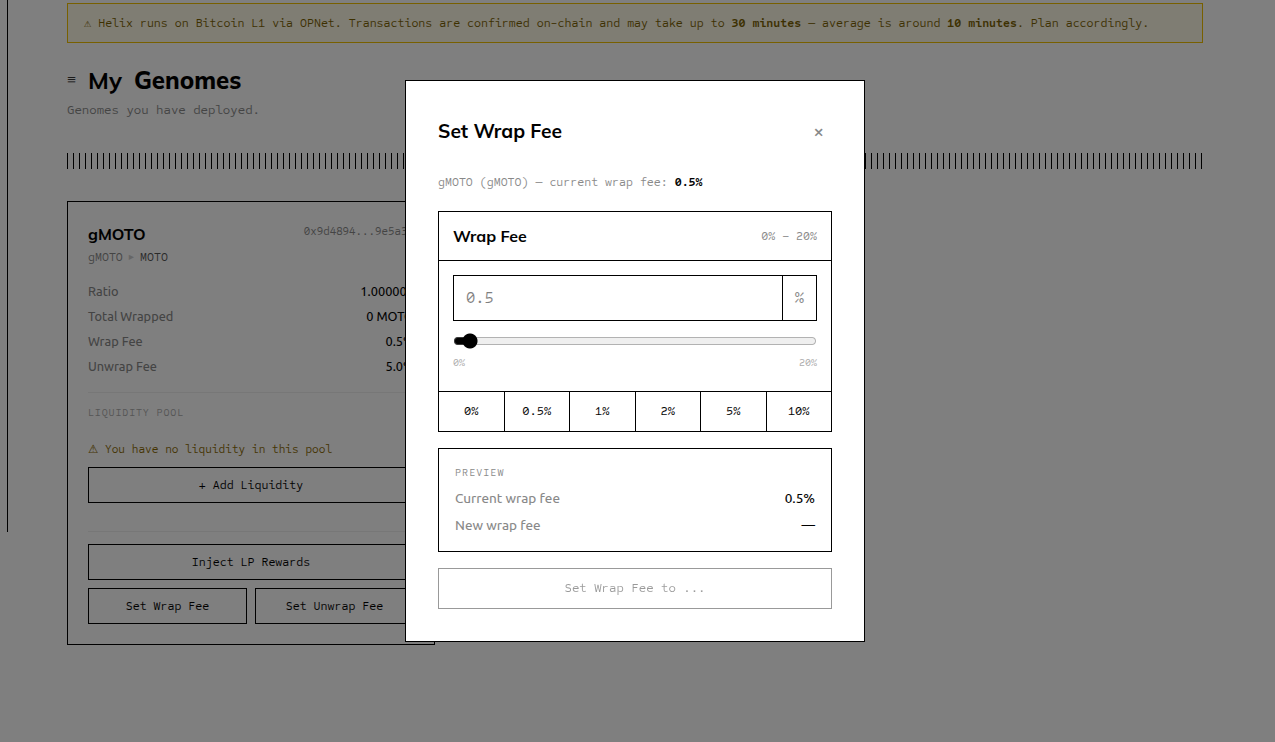
Overview
As the Genome owner, you can update the wrap fee and unwrap fee at any time from the "My Genomes" page. Changes take effect immediately for all future transactions.
Steps
Go to "My Genomes" — Click the nav tab to view your Genomes.
Click "Set Wrap Fee" or "Set Unwrap Fee" — Each fee has its own button on the Genome card. Both open the same fee-setting modal, configured for the respective fee type.
Choose a fee rate — Use one of the preset buttons or enter a custom value:
- Preset buttons: 0%, 0.5%, 1%, 2%, 5%, 10%
- Custom: enter any value from 0 to 200 (basis points)
- The slider provides a visual control for fine-grained selection
Confirm the transaction in OPWallet — The fee update is an on-chain transaction. Confirm it in OPWallet.
Fee takes effect immediately — All wraps and unwraps after the transaction is confirmed will use the new fee rate.
Fee Range
| Minimum | Maximum | |
|---|---|---|
| Wrap Fee | 0% (0 bps) | 20% (200 bps) |
| Unwrap Fee | 0% (0 bps) | 20% (200 bps) |
Suggested Fee Ranges
| Activity Level | Suggested Wrap Fee | Suggested Unwrap Fee |
|---|---|---|
| Low activity / new Genome | 0.1%–0.5% | 0.1%–0.5% |
| Standard Genome | 0.5%–2% | 0.5%–2% |
| High-demand / exclusive Genome | 2%–5% | 2%–5% |
| Reward-injection driven (fees secondary) | 0%–0.5% | 0%–0.5% |
Important: Fees Benefit Holders, Not You
Fees go to gToken holders, not the owner
Both the wrap fee and the unwrap fee increase the Genome's underlying balance without creating new gTokens. This raises the redemption ratio, benefiting all current gToken holders proportionally.
You, as the creator, only benefit from fees if you are also holding gTokens in your own wallet. There is no fee revenue stream sent to the owner address.
This design aligns creator incentives with holder interests — setting fees higher benefits you only if you have skin in the game by holding your own Genome's gTokens.